

Query Solution:
Follow these steps;
- Please go to Finance > Fee Heads module
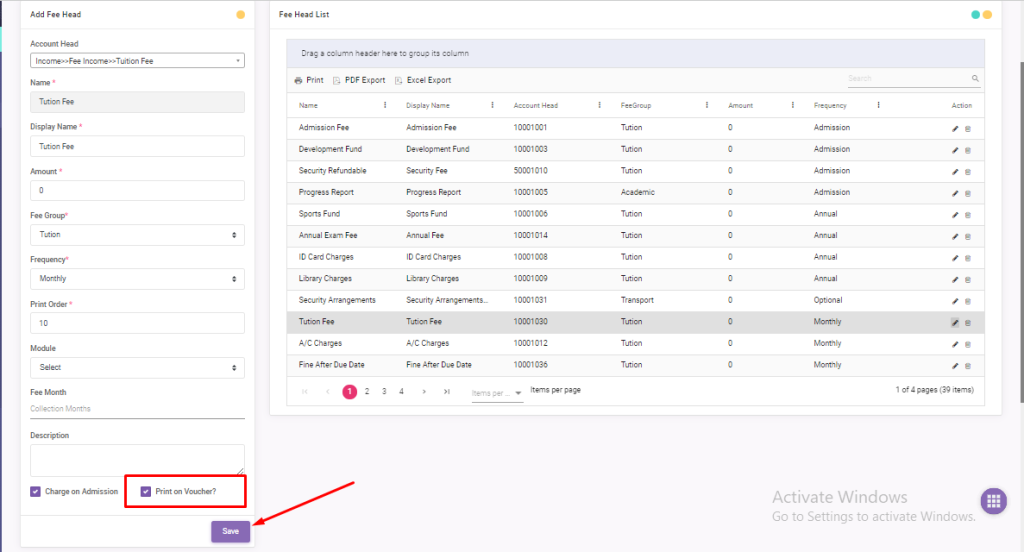
- Edit the desire fee head which you want to show/hide on voucher.
- Untick [Print On Voucher] option if you want to hide that fee head on voucher then click on save button.
- Simply tick-mark [Print On Voucher] option if you want to show that fee head on voucher then click on save button.
- The image is attached below for your ease, please check
- Tutorial URL —- https://youtu.be/nFPGdu0jpO8?si=VF96_RRfjfPY71ch
Leave A Comment?