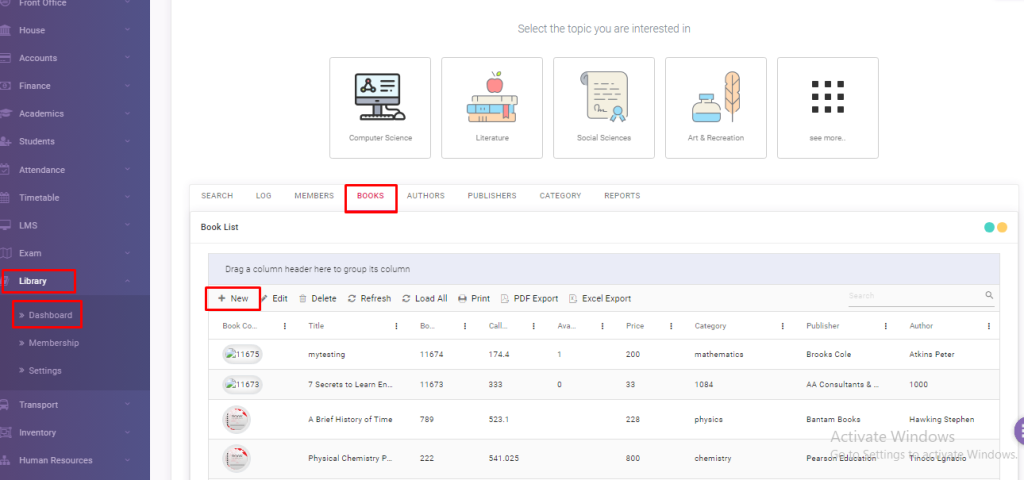
Click on Books, you will see an option of New.
Click here to add new book.
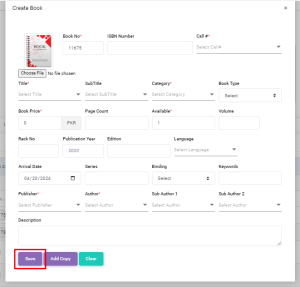
A type of form will appear as shown in figure.
Fill up the details about a book you are adding.
After adding the details, Click on Save.
Your new book would be saved.
Viewing 1 post (of 1 total)
You must be logged in to reply to this topic.
About
Edusuite school management system is efficient software that converts the ordinary school into a smart one. We offer easy to navigate, cost & time efficient, error-free and web-based school management solutions to tackle all the hurdles of students, parents, teachers and institute faculty efficiently.