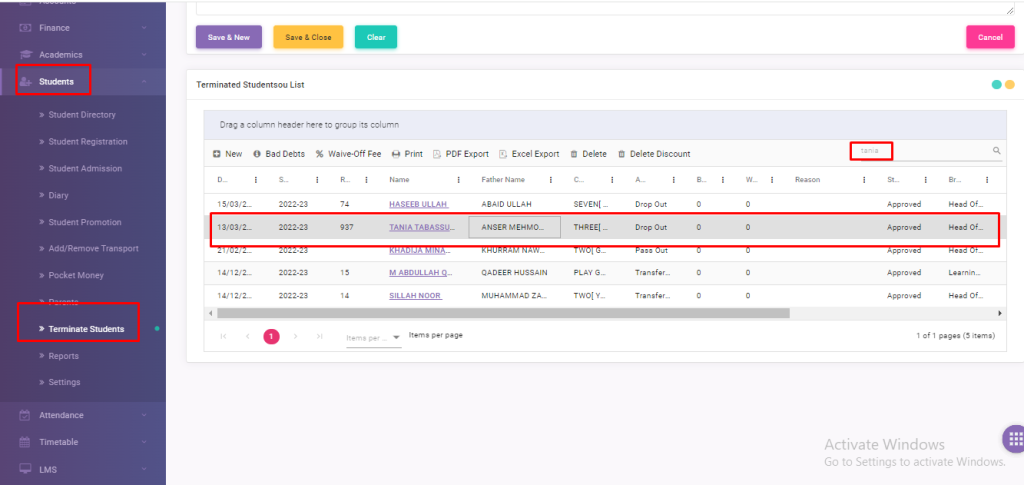
Simply go to Students > Terminated Students Module
Search student name on search bar and select as shown in figure.
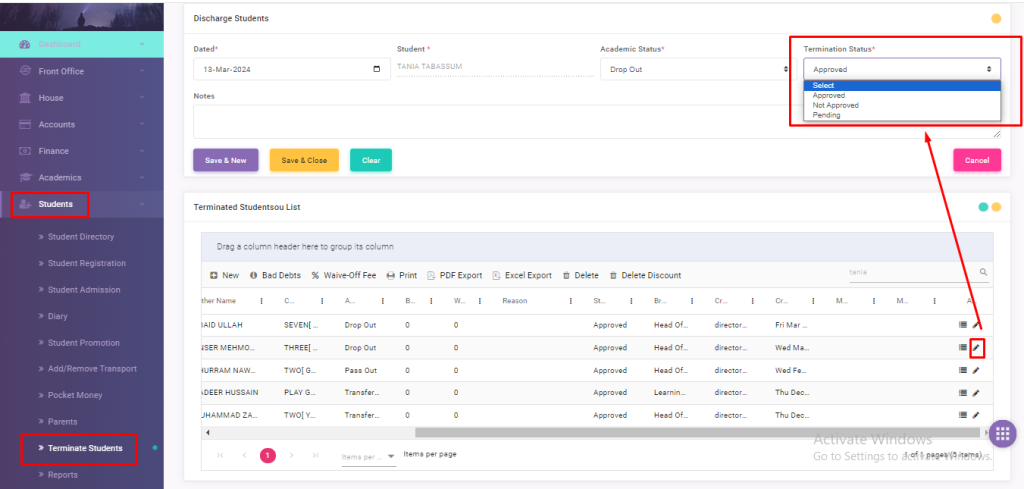
After select a student; at the end of right side click on edit and change ‘Termination Status’ on the top of the right. – Approved – Not Approved – Pending
As shown in figure.
Viewing 1 post (of 1 total)
You must be logged in to reply to this topic.
About
Edusuite school management system is efficient software that converts the ordinary school into a smart one. We offer easy to navigate, cost & time efficient, error-free and web-based school management solutions to tackle all the hurdles of students, parents, teachers and institute faculty efficiently.