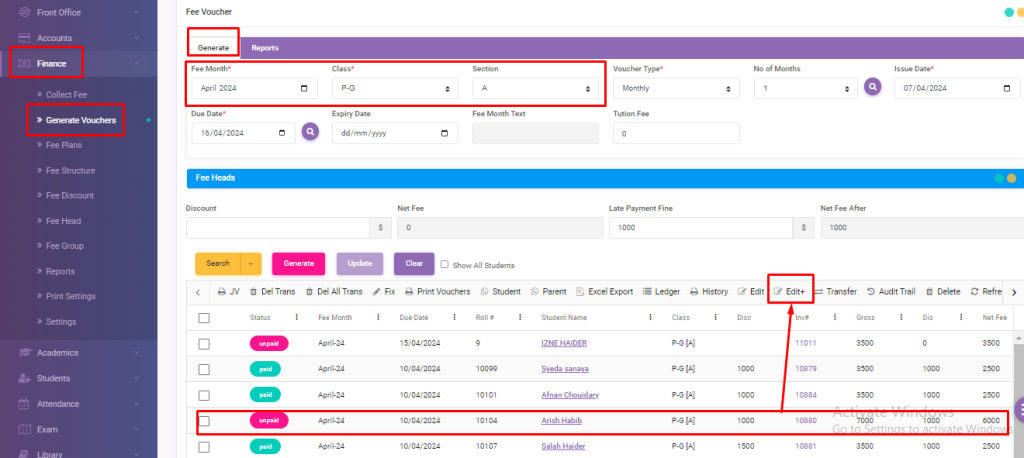
First of all go to Finance > Generate Voucher Module.
Fill up the columns according to the requirement (month, class & section)
A list of students will appear in a grid.
Select any student and click on Edit+.
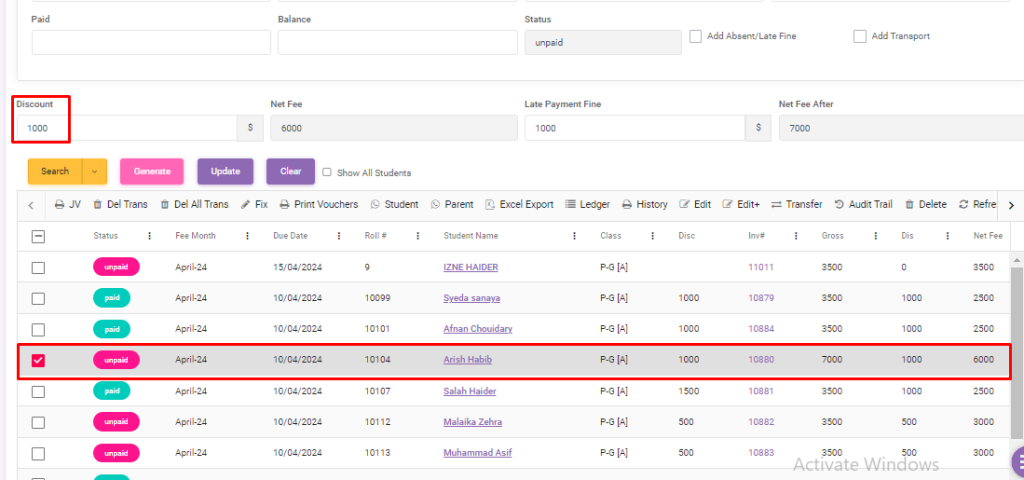
A type of form for edit details will appear.
Some details for editing have been appear.
Here you can see Discount Amount as shown in figure.
And if you want to see voucher, simply click on Invoice#.
Voucher will be appear
Viewing 1 post (of 1 total)
You must be logged in to reply to this topic.
About
Edusuite school management system is efficient software that converts the ordinary school into a smart one. We offer easy to navigate, cost & time efficient, error-free and web-based school management solutions to tackle all the hurdles of students, parents, teachers and institute faculty efficiently.