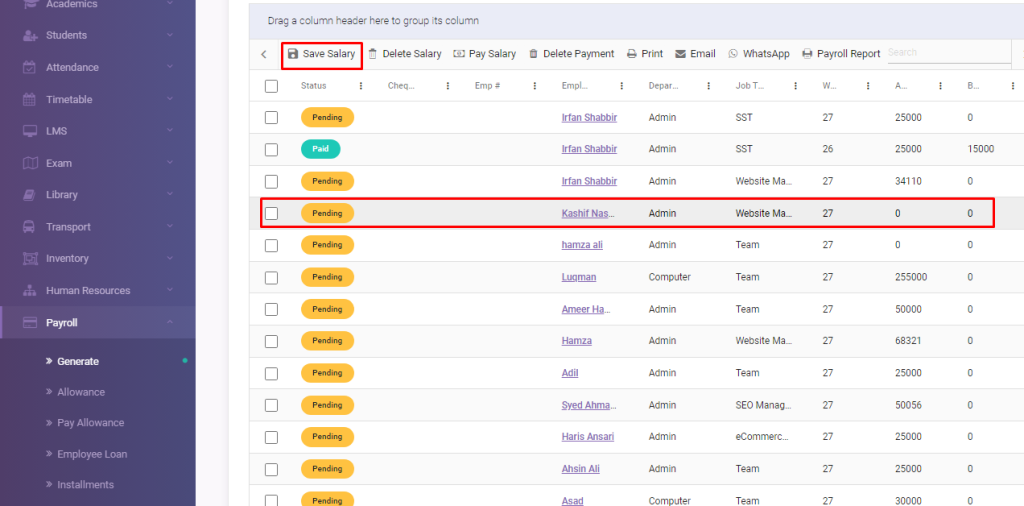
Go to Payroll > Generate module
Select employee and move your cursor on ‘Save Salary’ and click.
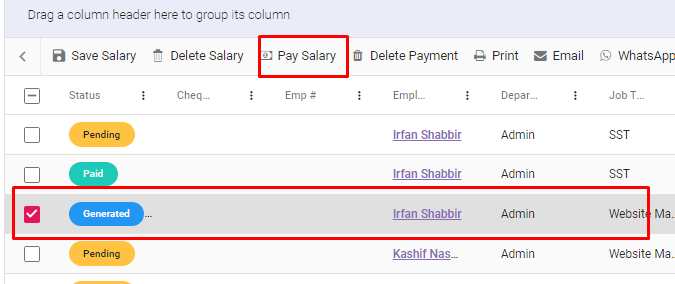
The salary status would be generated as shown below.
Now select the Generated of same employee and move your cursor to the ‘Pay Salary’ and click.
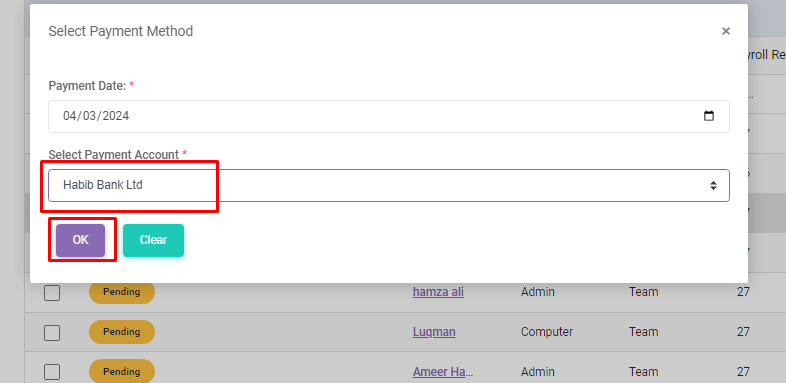
Now add bank details, in which you want to pay salary
And click on OK
The status would be appear as ‘Paid’
Viewing 1 post (of 1 total)
You must be logged in to reply to this topic.
About
Edusuite school management system is efficient software that converts the ordinary school into a smart one. We offer easy to navigate, cost & time efficient, error-free and web-based school management solutions to tackle all the hurdles of students, parents, teachers and institute faculty efficiently.